
Product — how it works
From chat pile to workspace.
Eight steps, in the order you meet them. Everything described here is in the public alpha you can download today — nothing on this page is a roadmap promise.
01 — Identity
You sign in as yourself.
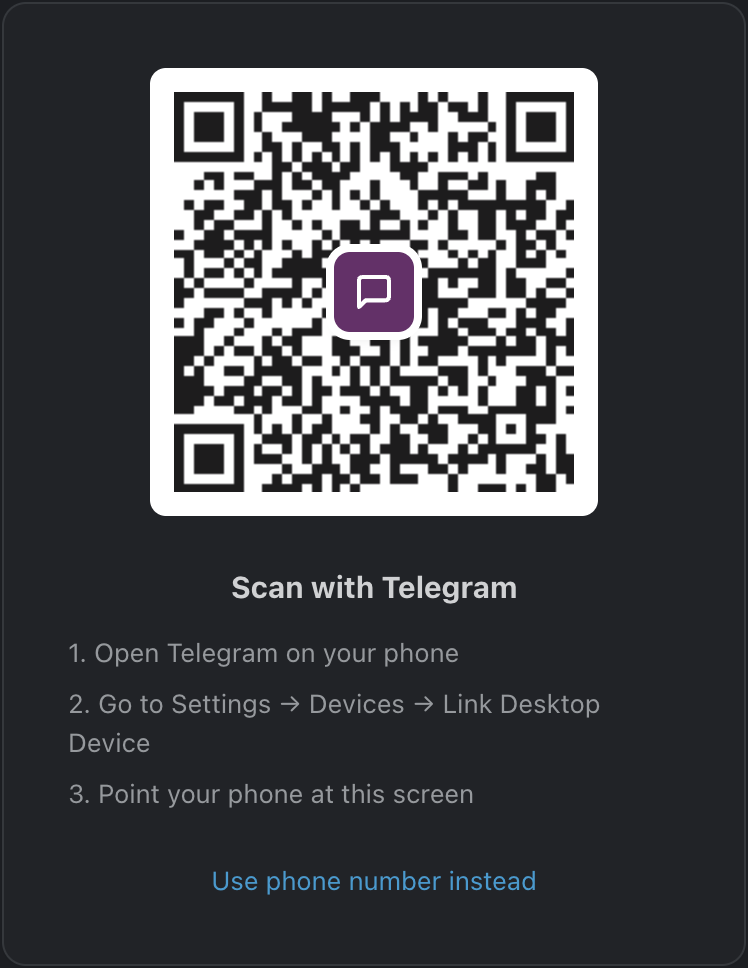
Teamgram asks for your personal Telegram account — the same one your team already messages you on. There is no separate network to join and nothing for your teammates to sign up for.
Why it works this way
Your Telegram session is what lets Teamgram see the groups you belong to, the people in them and the messages you already have access to. Nothing more, and nothing you could not see in Telegram yourself. Sign out and the workspace stops resolving — your underlying chats are untouched.
- Your Telegram session and device credentials stay on your computer.
- Teamgram is independent software — not a Telegram product.
- Read what is stored where in the trust guide before you sign in.
02 — Discover & import
The workspace builds itself.
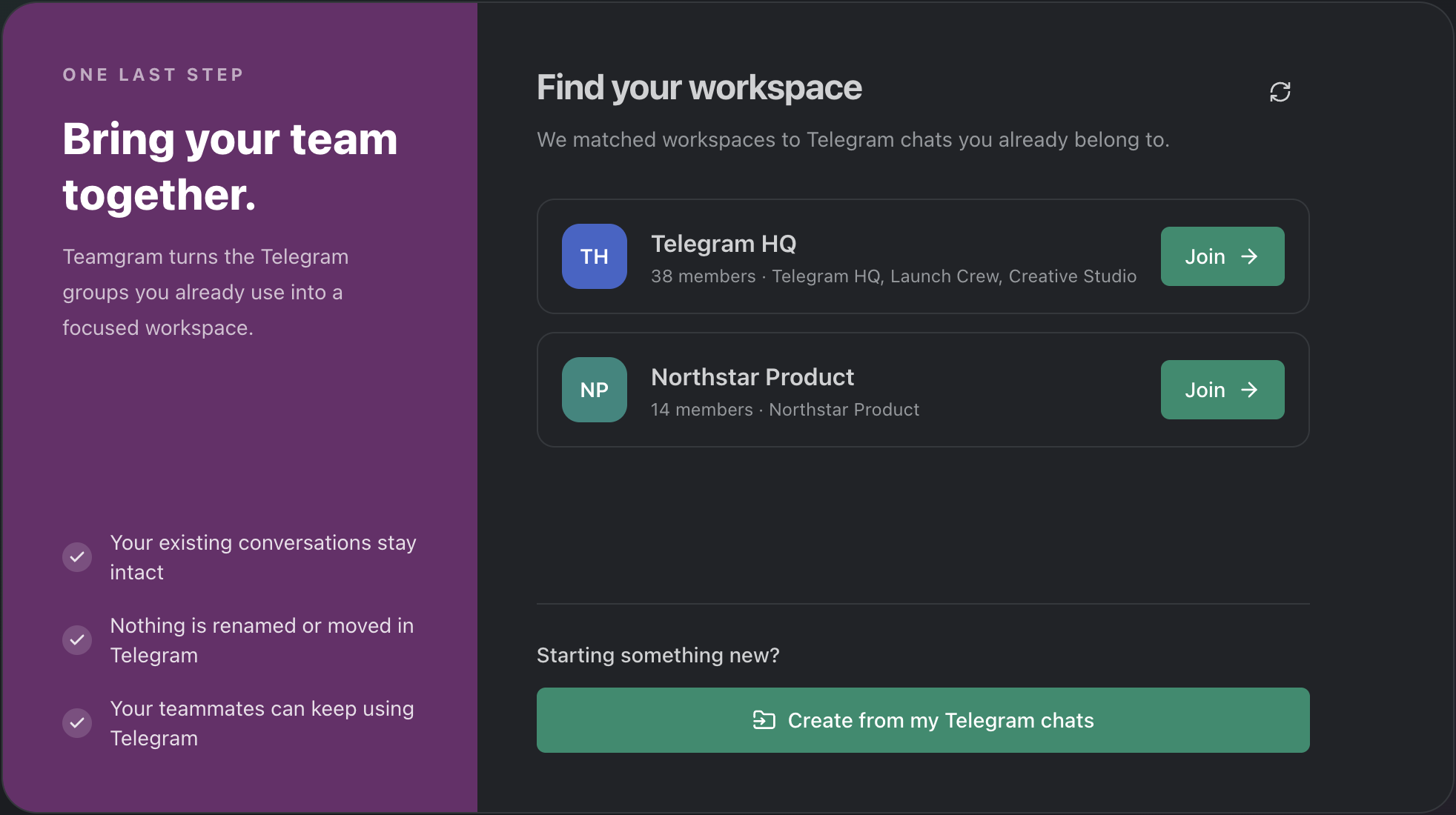
Teamgram looks at the groups and forum topics you already belong to and suggests the ones that look like work. You tick the ones you want.
Read-only, and reversible
Nothing in Telegram is renamed, moved, converted or rewritten. A forum topic becomes its own channel instead of one undifferentiated wall. Membership is whatever Telegram says it is, and people who never install anything keep participating exactly as before.
- Discover chats you already belong to, or create a workspace from a selection.
- Add more channels later; the workspace is not fixed at setup time.
- Interrupted setup resumes at the exact step you left it on.
03 — The workspace
Channels, DMs, people.
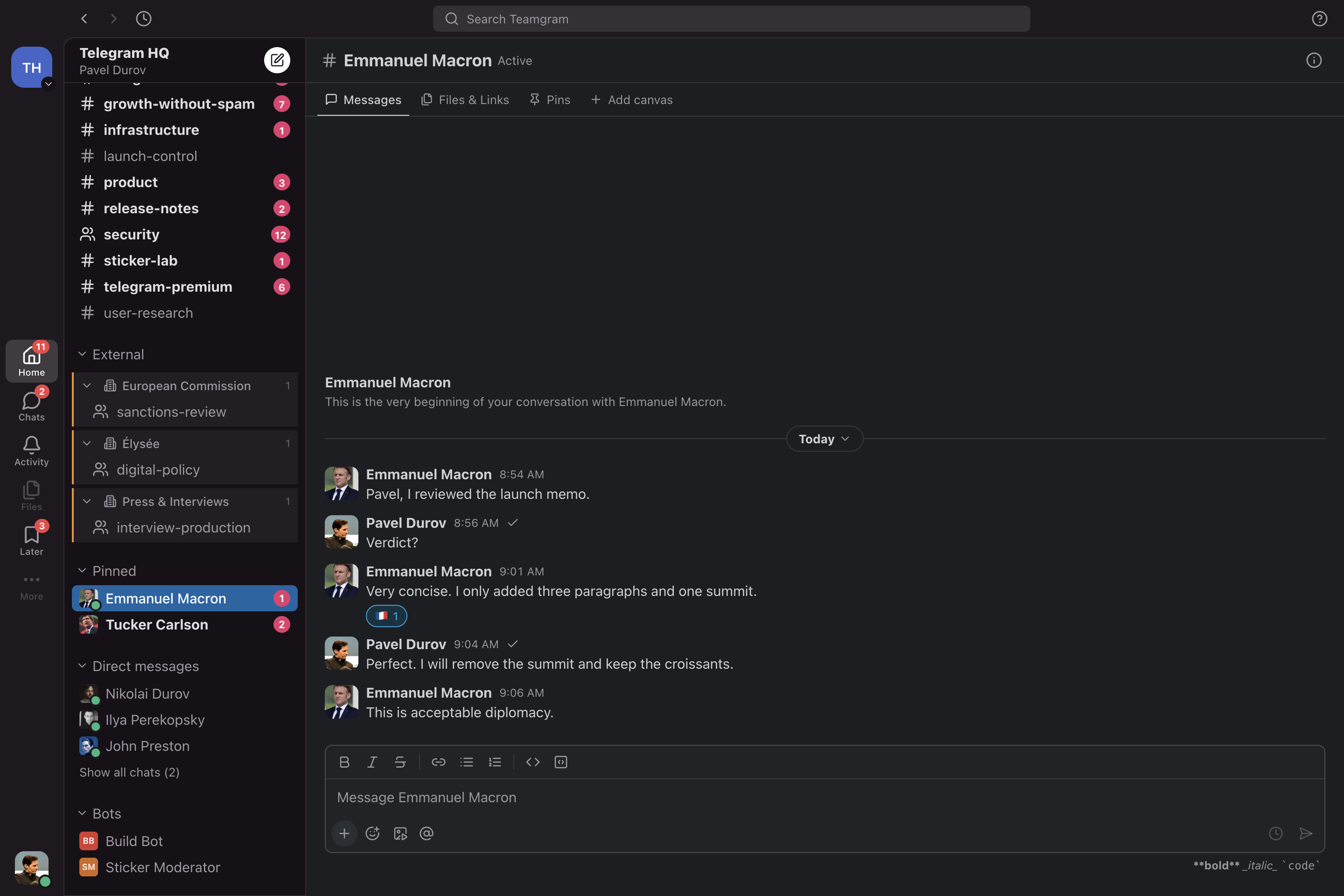
A workspace rail for switching between organisations, a sidebar for channels and DMs, and a content column that stays out of the way. Predictable, and quiet.
04 — Threads
Side conversations, put to one side.
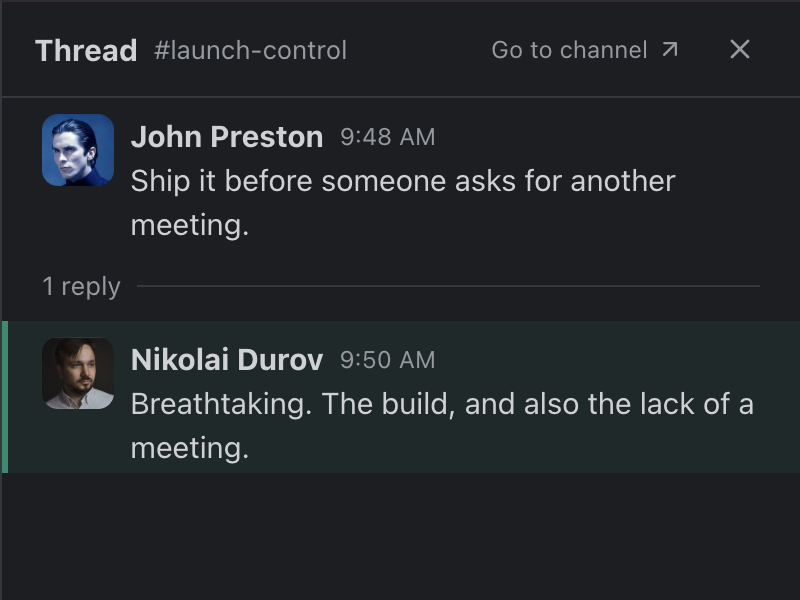
A reply that turns into a discussion stops taking the channel with it. Threads keep the detail attached to the message it belongs to, and Activity tells you when one moves.
Context stays where you left it
Open a thread beside the channel, read it, reply, and close it again without losing your place in the main conversation. Thread replies you are part of show up in Activity, and any message in a thread can become a reminder.
05 — Activity & Later
Two lists that run your day.
Activity is everything that happened and might need you. Later is everything you decided to deal with at a specific time. Between them, nothing depends on remembering.
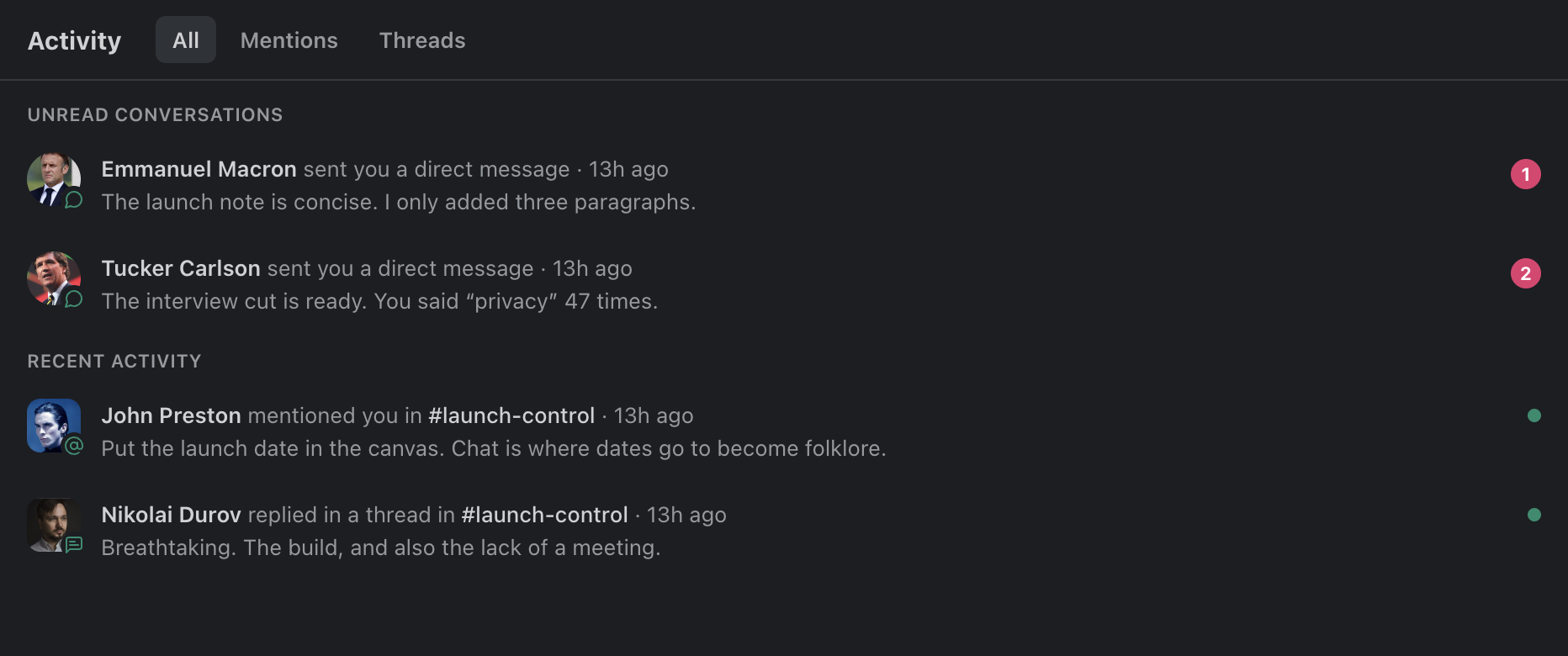
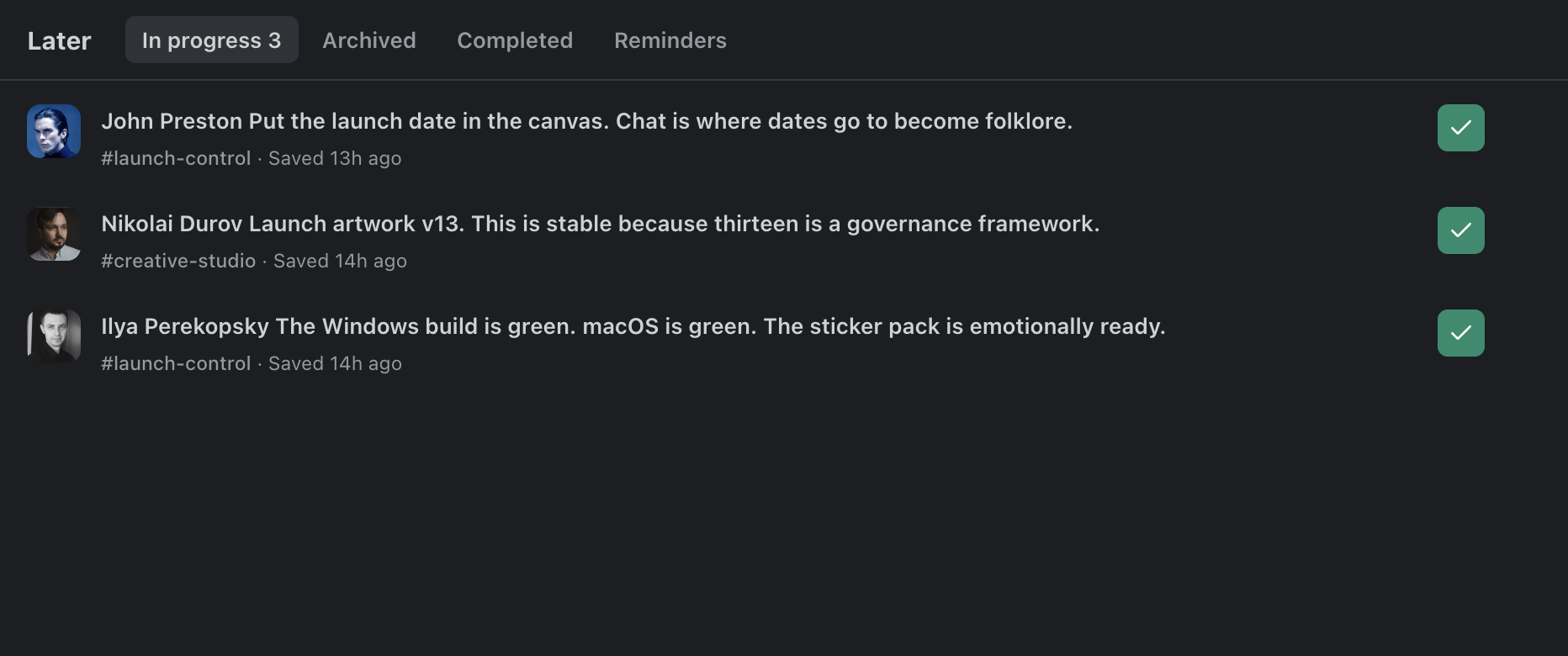
Reminders come back with the message attached — not a to-do item that says “reply to Ana”, but the actual message, its thread and the channel it came from, so you can act immediately instead of reconstructing the context first.
06 — Canvases
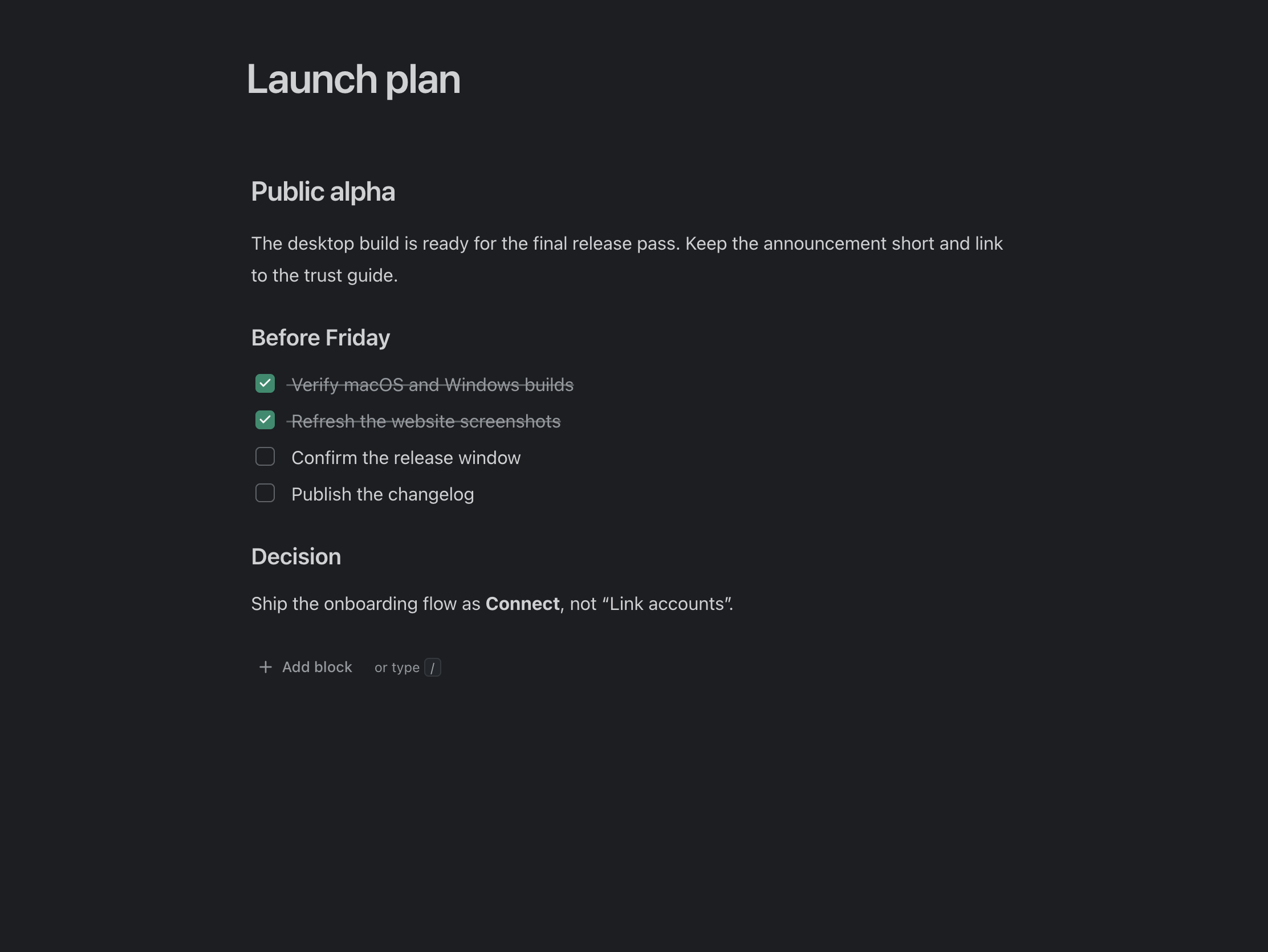
The brief, beside the conversation.
Some things should not be a message. A canvas is a shared document attached to a channel or a one-to-one DM, for plans, checklists and decisions that need to outlive the scroll.
One deliberate exception
Canvases are Teamgram documents rather than Telegram messages, so their content is stored on Teamgram's servers in order to share them with everyone in the channel. They are not end-to-end encrypted and are readable by the service. That is the one place where Teamgram holds content rather than pointing at Telegram — worth knowing before you paste something sensitive into one.
07 — Connections
Customers, clearly marked as customers.
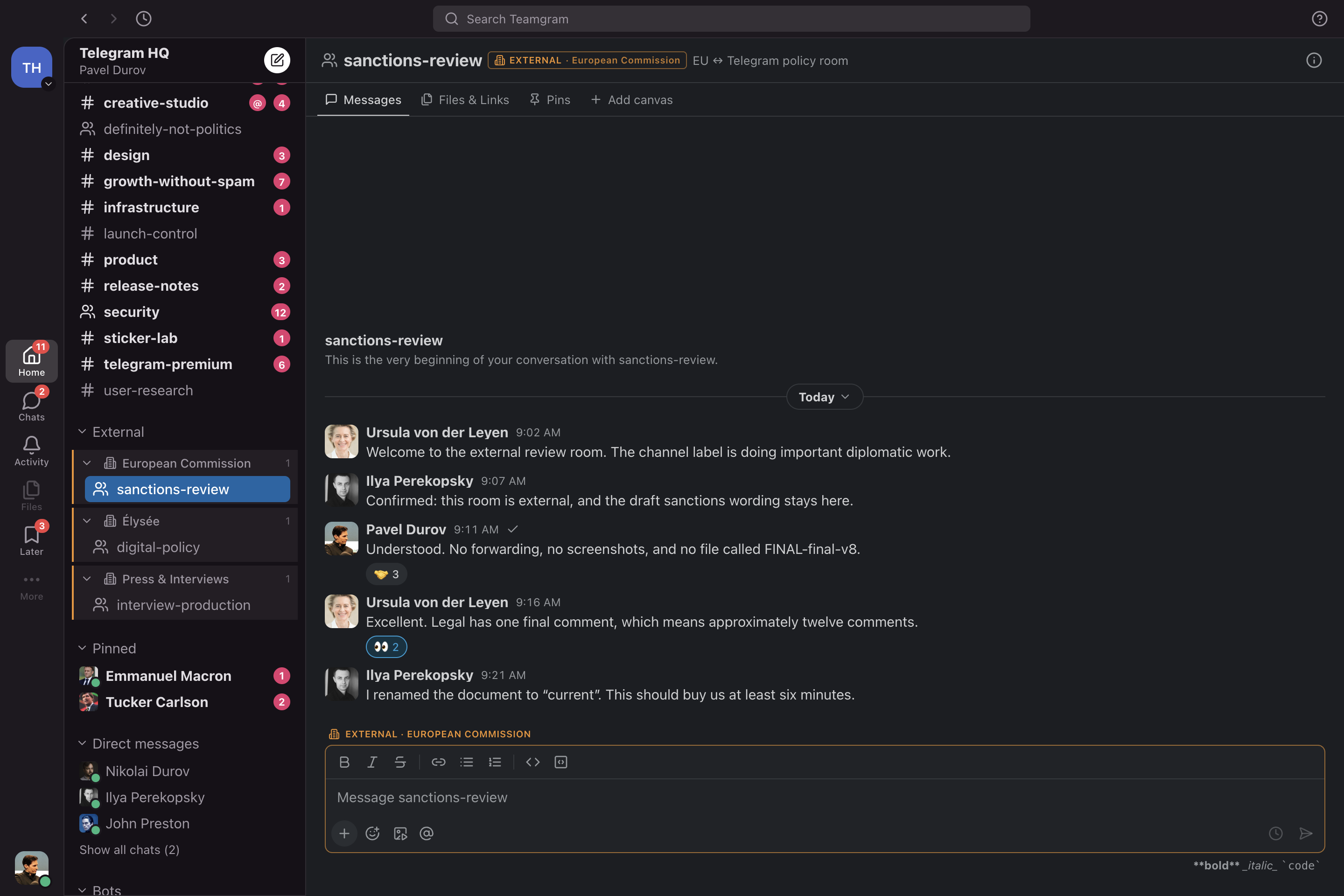
Telegram makes it easy to reach your clients and partners, and just as easy to forget which window you are typing in. Connections group those chats and label them wherever they appear.
- Grouped by company
- Several chats with the same customer sit together instead of scattered down the sidebar.
- Labelled as external
- External rooms are marked in the sidebar, the header and the composer — not only on first open.
- Broad mentions confirm first
- Notifying an entire external room asks you to confirm, because that message reaches customers.
08 — The daily details
The parts you only notice when they are missing.
A tool you keep open all day is judged on small things: how fast it starts, whether search finds the thing, whether the unread badge is telling the truth.
- Local search
- Recent history is cached on your machine, so searching it does not wait on a network round trip.
- Offline reading
- On a bad connection or a plane, cached conversations still open and stay readable.
- Desktop notifications
- Native notifications for mentions, DMs and due reminders, with per-conversation control.
- Keyboard navigation
- Switch conversations, open threads and move through Activity without reaching for the mouse.
- Honest unread state
- Read state and mention counts stay consistent, so an empty Activity actually means empty.
- Built-in updates
- Installed builds check the update feed and offer new versions as they are published.
Where the alpha is honest
Rough edges, deliberately visible.
Desktop only for now — macOS and Windows, with your phone staying on Telegram, which works but is a limitation rather than a philosophy. Behaviour and features move between builds, and the changelog is written for the people living with those changes. The alpha is free while real teams try it; pricing is undecided, with no permanent free tier promised and no speculative paid features published.
Read the changelogSee your own chats in it.
The fastest way to judge any of this is to sign in and watch your real groups turn into a workspace.
Download for macOS or Windows